Delegating Access to Google My Business

Granting Drive Marketing Access to Google Business Profile
This guide explains how to grant Drive Marketing Access to your Google Business Profile
Providing access allows our team to ensure your listing is properly configured, helping avoid potential SEO issues. It also allows us to respond to public feedback and help manage customer reviews for your business.
1. Open Your Google Business Profile
- Log in to your account at https://business.google.com/.
- Select the appropriate business listing if you manage more than one location.
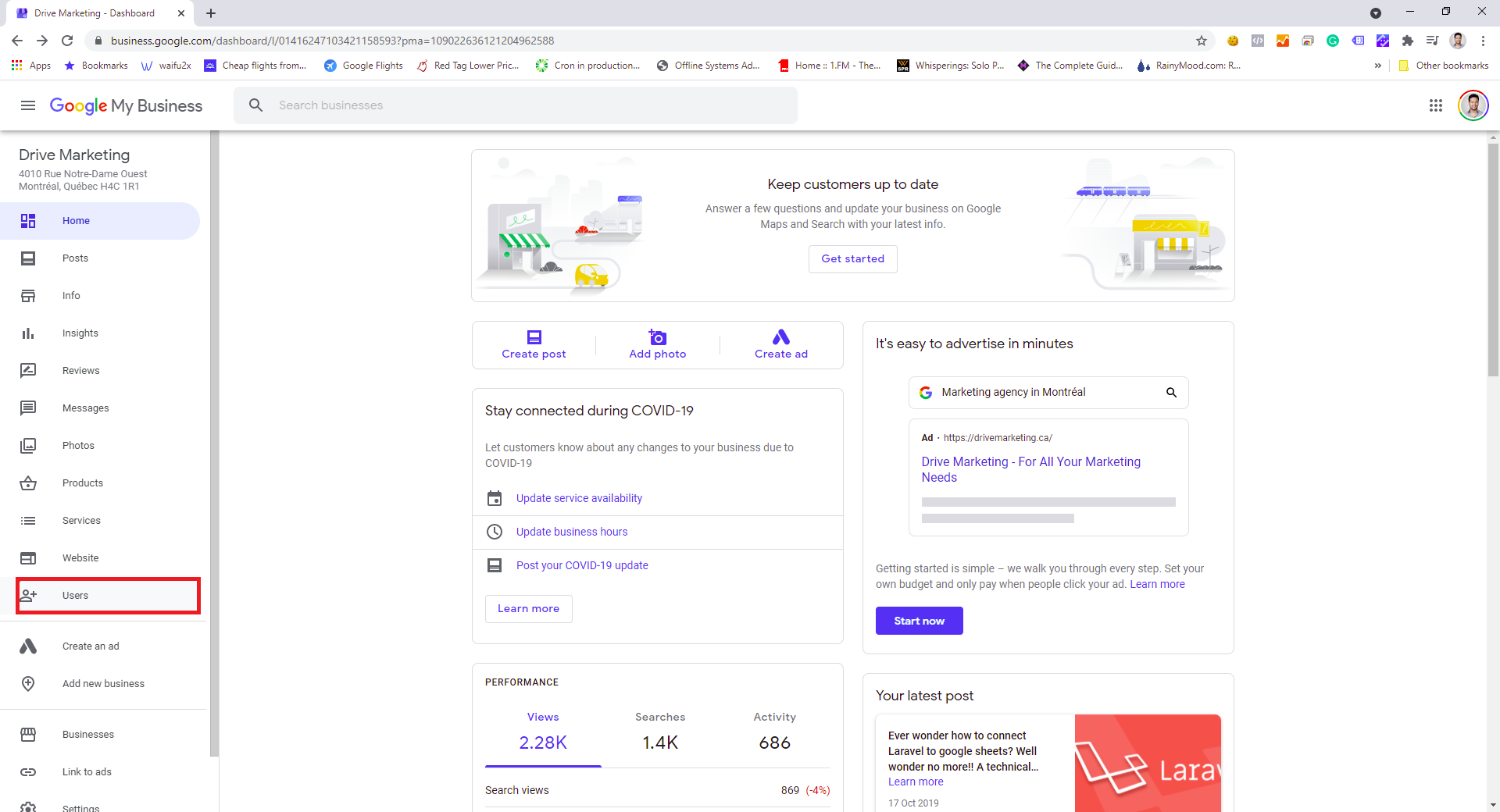
2. Open the Users Menu
From the left-hand menu, click Users.
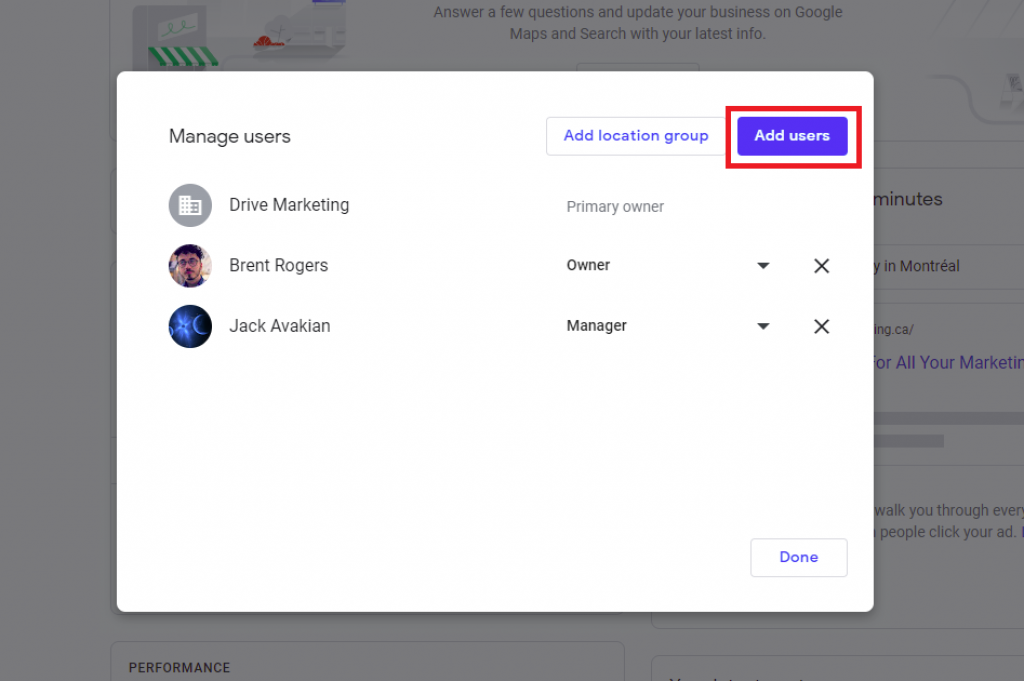
Step 3: Add a New User
- Click Add Users.
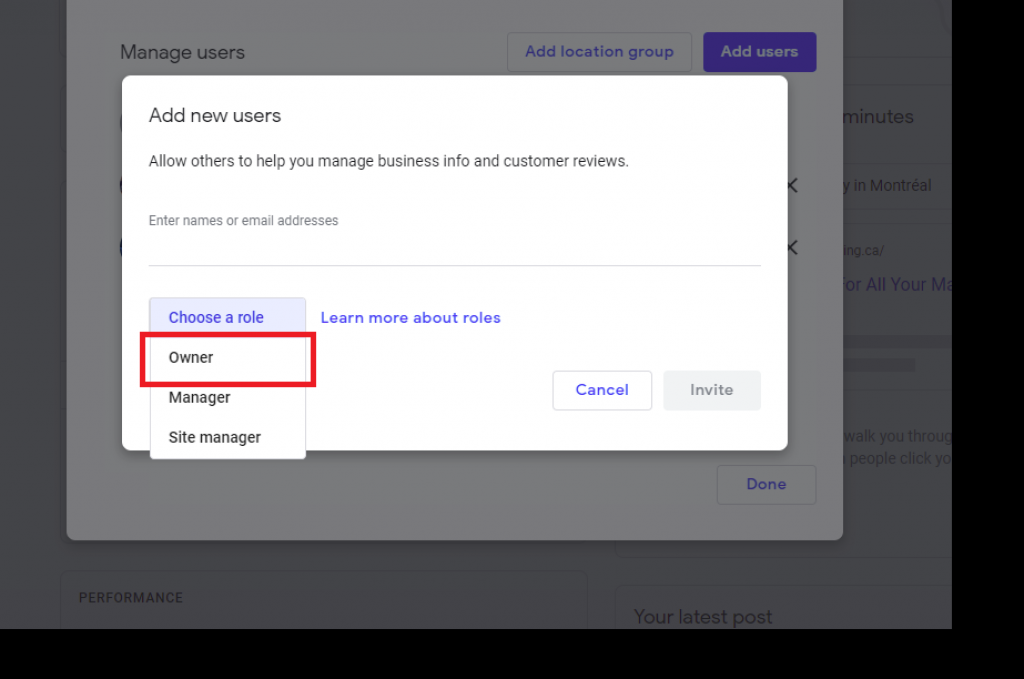
- Enter the email address provided by the Drive Marketing team.
- Set the user role to Owner.
You will remain the Primary Owner of the account.
On Google Business Profile, the Owner role simply allows us to help manage the listing and add additional users if needed. It does not allow us to take ownership of your account.
What Happens Next
Once the invitation is sent, our team will receive access and can begin assisting with the management of your business listing.