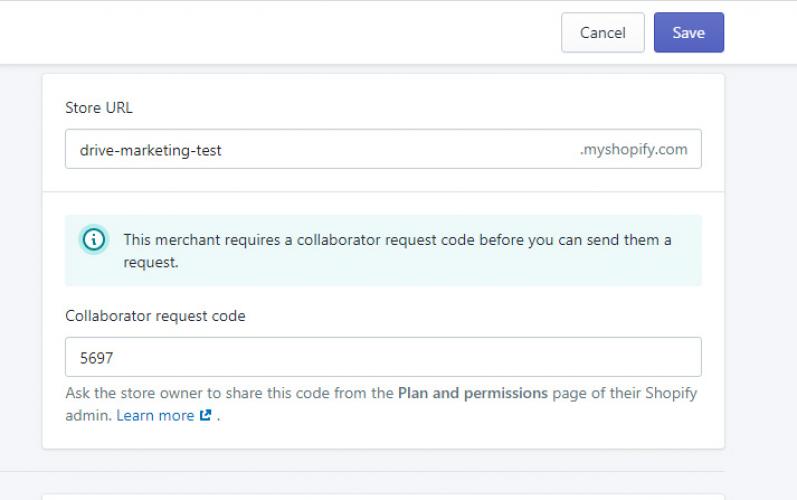
Collaborator Access on Shopify
Granting Drive Marketing Access to Your Shopify Store
This guide explains how to allow Drive Marketing to access your Shopify store using Shopify’s Collaborator Access feature.
Collaborator access allows our team to assist with your store without requiring your account password.
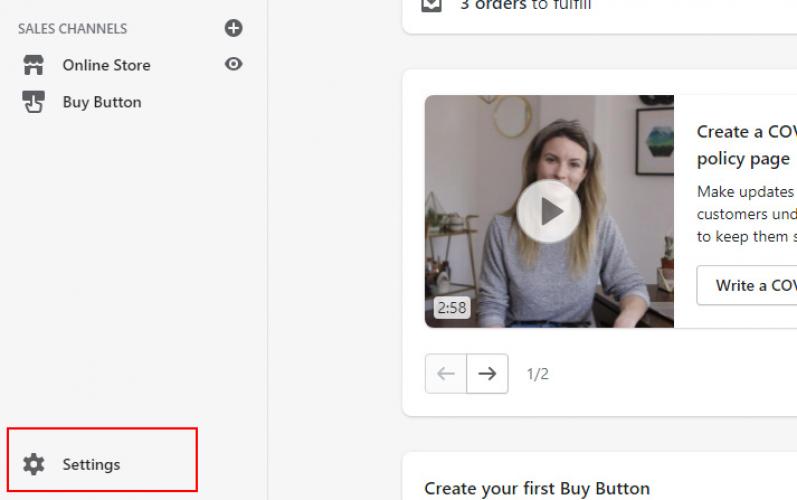
1. Open Shopify Settings
- Log in to your Shopify dashboard.
- Click Settings in the lower-left corner of the screen.
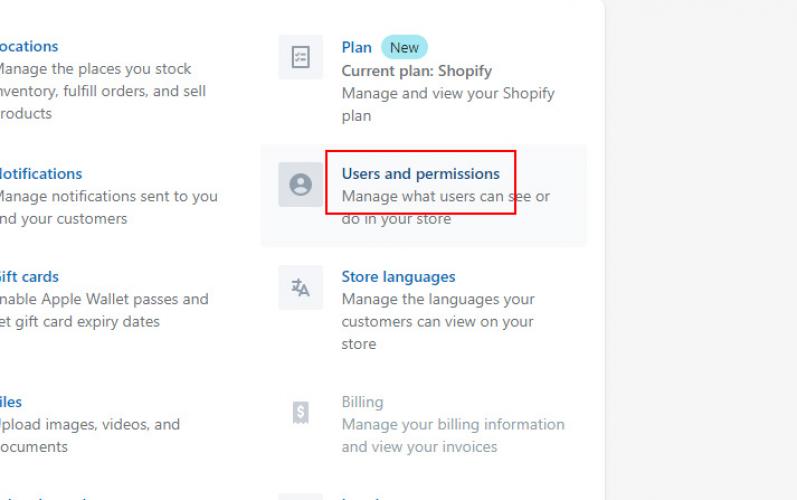
2. Open Users and Permissions
- In the Settings menu, click Users and Permissions.
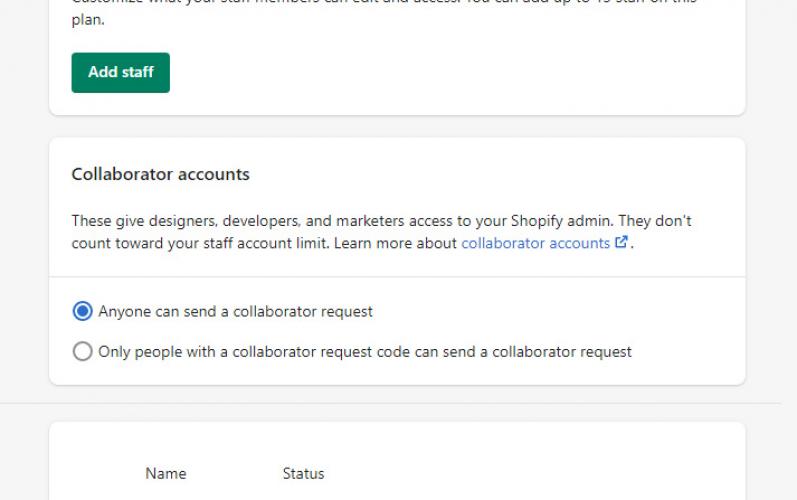
3. Locate Collaborator Accounts
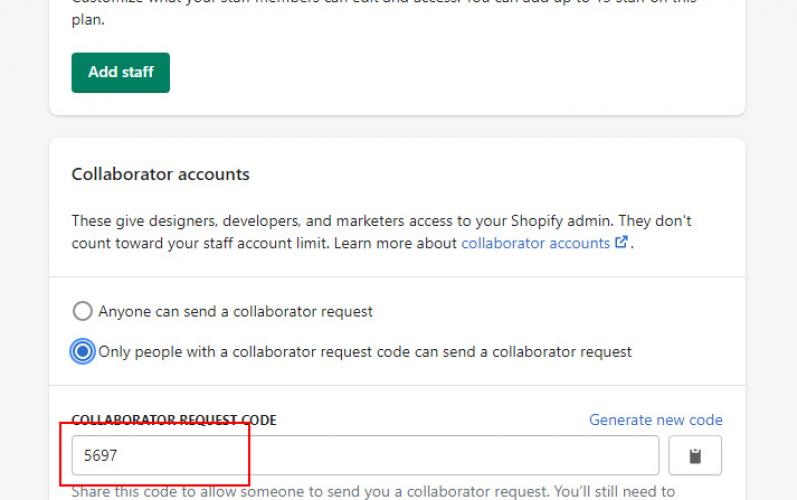
Scroll down to the Collaborator Accounts section.
4. Enable Collaborator Requests
- Select Only people with a collaborator request code can send a collaborator request.
- Shopify will generate a 4-digit collaborator request code.
- Make a note of this code.
5. Send Your Store Information
Send the following information to Drive Marketing:
- Your 4-digit collaborator request code
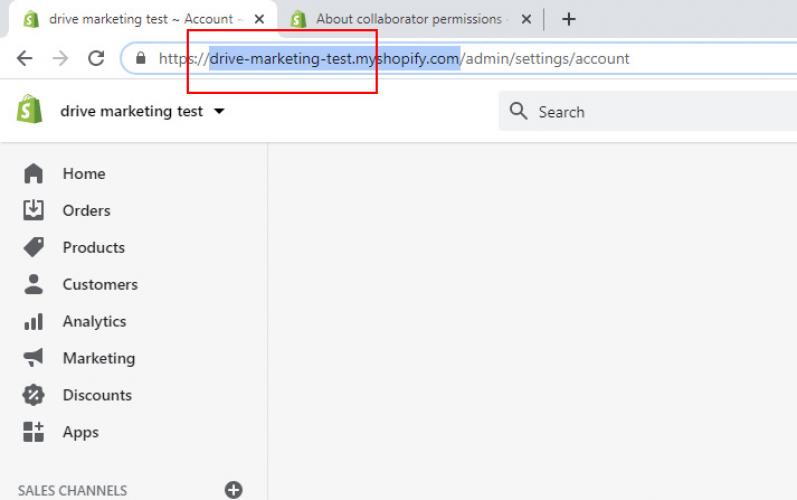
- Your Shopify store domain
(Format: yourstore.myshopify.com)
What Happens Next
Once we receive your information, we will connect our Shopify Partners account to your store as a Managed Store and request collaborator access.
You will receive a notification in Shopify to approve the request.